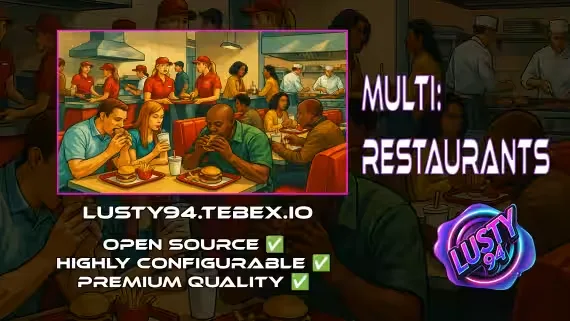
Lusty makes food and hospitality content for FiveM, and the whole catalog points at one idea: run every restaurant on your server from a single resource instead of ten separate scripts. That is the All in One Restaurant Script, and it comes with 14 MLOs plus a crafting system baked in. If your city has a burger joint, a coffee shop and a proper sit-down restaurant, you install one thing and set them all up from there.
This matters because food scripts tend to sprawl. Server owners collect a taco script here, a diner script there, each with its own dependencies, its own item list and its own resmon cost. Lusty's approach folds that into one codebase. You get consistent crafting behavior across every location, and you maintain one resource when an update lands rather than chasing five authors.
Signature work and style
The headline product is the All in One Restaurant Script, and the numbers tell you what you are buying. You get 14 MLOs, so the interiors ship with the script instead of forcing you to hunt down separate map packs and stream them yourself. The crafting system is the mechanic that ties it together: players work a job, gather or buy ingredients, then craft menu items to sell or serve. That loop is what turns an empty interior into an actual business your players run.
Because it is built as an all in one resource, the style leans toward coverage over a single niche. Rather than one hyper-detailed pizza place, you get a spread of venues that share the same crafting and job logic. For a server owner that is the practical win. You can hand a coffee shop to one player group and a fast food chain to another, and both run on rules you only configured once.
The 14 MLOs give you room to place food businesses across the map without every spot looking identical. That variety keeps the roleplay fresh when you have several restaurant jobs live at the same time.
Compatibility and installation
The restaurant script targets the three frameworks most servers actually run. It supports QBCore, ESX and Qbox, so it fits whether you are on a Qbox build, a classic ESX city or a QBCore setup. The product name calls out QBCore directly, and the store listing confirms ESX and Qbox support alongside it.
Delivery is an instant zip download after checkout, so you are not waiting on a manual handoff. Drop the resource into your server, wire up the config for the framework you run, and place the 14 MLOs where you want them. Read the included documentation for the crafting recipes and item setup, since a food resource needs its items registered on your inventory before players can craft and sell.
A quick note before you buy: check the listing for whether the code is escrow or open source, and confirm the MLO stream files line up with your current map and any interiors you already run. Those two checks save the most support headaches with any large all in one resource.
Why buy Lusty scripts here
Buying Lusty's restaurant script through this store gets you a clean listing with the framework support and feature counts stated up front, so you know it is QBCore, ESX and Qbox before you pay. Checkout is quick and the download is instant, which means you can have the resource on a test server within minutes.
The honest pitch for this creator is consolidation. If you are tired of stitching together a different script for every food business, one resource with 14 MLOs and a shared crafting system is a real time saver, both at install and every time you patch. For a growing city that plans to run several restaurant jobs, that single-resource design keeps your server lean and your maintenance simple.